
Upscale Image Online
Use Nana Banana Pro AI to upscale image details in product photos, portraits, logos, thumbnails, and creative assets. Upload one image, choose a target resolution, and let the AI upscaler restore sharper texture, cleaner edges, and a high-resolution result for stores, ads, presentations, and social posts.
AI image upscaler
Create a sharper high-resolution image
Sharper high resolution
Drag the divider to compare the original image and the AI result.
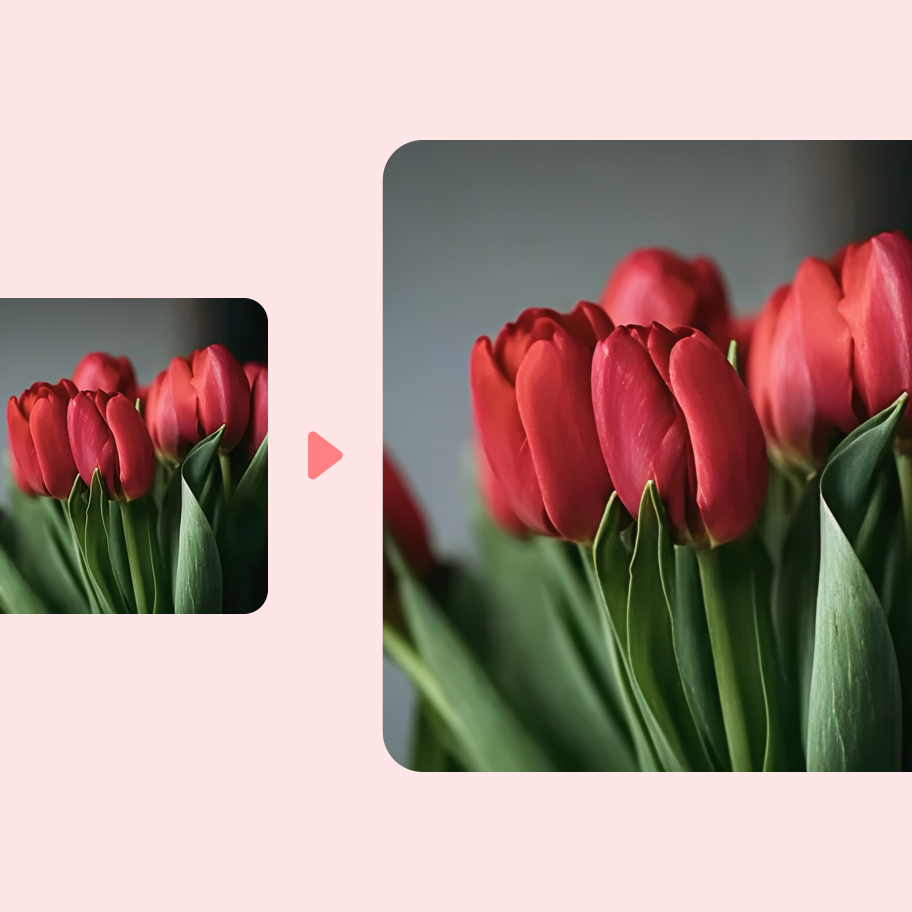
Sharper high resolution
Upscale image size while improving perceived clarity, edge definition, and texture so small assets can become clean hero graphics, catalog images, and presentation visuals.
Detail restoration
The AI image upscaler rebuilds detail instead of stretching pixels, helping portraits, product edges, packaging, and soft materials look more polished.
One-credit workflow
Each upscale request costs one credit, making it easy to repeat the workflow for thumbnails, marketplace photos, team assets, and launch materials.
Simple workflow
Upscale image quality in three focused steps
Nana Banana Pro AI keeps the upscale image workflow short enough for daily production work while still giving teams a serious high-resolution result. Upload a file or paste a public image URL, choose the output resolution, and download the enhanced image.
Upload or paste
Start with a product photo, creator portrait, logo mockup, listing image, or social graphic.
Choose a resolution
Select 1080p, 1440p, or 2160p to control how aggressively the image is enlarged.
Download the result
When the result is ready, download the enhanced image for galleries, decks, ad creative, thumbnails, or landing pages.
Built for creators, shops, and small teams
Product listings
Marketplace teams upscale image files from suppliers, phones, and old catalogs so SKU photos look more consistent.
Creator visuals
Creators upscale thumbnails, portraits, screenshots, and props before placing them into covers, tutorials, or pitch slides.
Design cleanup
Design and marketing teams upscale assets before cropping, retouching, removing backgrounds, or generating new scenes.
Upscale image FAQ
Answers for teams using Nana Banana Pro AI as a daily image production tool.
How does Nana Banana Pro AI upscale image files?
The server creates a Kie task with the Topaz image-upscale model, keeps private credentials server-side, and returns a high-resolution result.
How many credits does it cost?
One image costs one credit according to the page workflow.
Which output resolution should I choose?
Choose 1080p for everyday assets, 1440p for larger banners or crops, and 2160p when you need a 4K-ready result.
Which image types work best?
PNG, JPG, and WebP work well when the subject is visible and the source is not extremely blurred.
Can I upscale image files from a hosted URL?
Yes. Paste a public HTTPS URL when the file already lives on a CDN, website, or storage bucket.
Is this different from normal resizing?
Yes. AI upscaling predicts missing detail and improves perceived clarity instead of only stretching pixels.